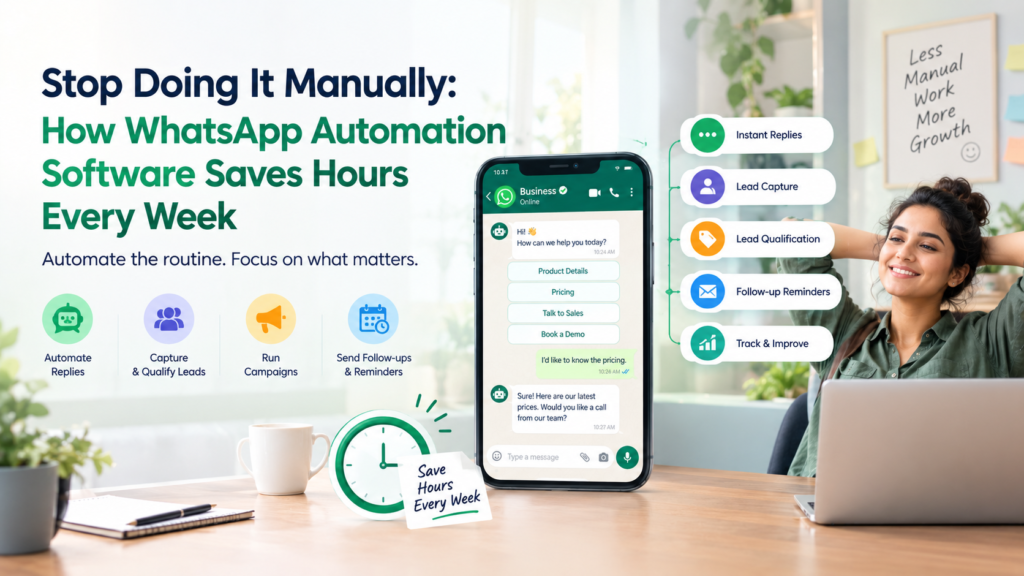
Monday, 9:02 am. You open WhatsApp Business and there are 34 unread chats. Three are the same question, asked by three different people, in three different ways. Two are leads who messaged on Saturday and are probably gone by now. One is a customer asking “any update?” for the fourth time.
You have not even had your tea yet.
This is not a productivity problem. It is a manual-work problem. Whatsapp automation software fixes it by taking over the repetitive parts of your WhatsApp, like answering FAQs, sending reminders, sorting leads and following up, so your team spends time on conversations that actually need a human, not on typing the same reply for the twentieth time. Let’s actually count what that saves you.
Let’s Do the Math: Where Your Team’s Hours Are Really Going
Before talking about any tool, let’s talk about where your time disappears. Most businesses underestimate this badly, because it happens in small chunks all day instead of one big block.
Try this short exercise with your own numbers:
- How many WhatsApp messages does your team answer in a day? _____
- Of those, how many are genuinely unique questions, and how many are repeats of the same FAQ? _____
- How long does it take, on average, to type one reply? _____
- How many leads do you follow up with manually each week, and how many do you forget to? _____
For a small team handling even 60 messages a day, with a third of them repetitive, that’s roughly 20 replies a day that didn’t need a human brain at all. At even 90 seconds a reply, that’s half an hour a day, nearly 3 hours a week, spent typing things a system could say instantly.
And that’s before counting the leads nobody followed up with because everyone was busy replying to “what are your timings?” for the fifth time.
How Much Time Can WhatsApp Automation Software Actually Save Your Team?
Whatsapp automation software can realistically save a small-to-mid-size team several hours a week by automatically answering repetitive questions, sending scheduled reminders and follow-ups without manual triggering, and routing leads so your team only steps in where a real decision is needed. The exact number depends on your message volume, but the pattern is consistent: the more repetitive your WhatsApp traffic, the more hours come back to you.
Here’s the honest breakdown of where those hours come from:
| Manual task | Time it costs weekly (typical small team) | What automation replaces it with |
| Answering repeated FAQs | 3-5 hours | Instant automated replies |
| Manually following up with leads | 2-4 hours | Scheduled, automatic follow-up reminders |
| Sorting “who is this and what do they want” | 1-2 hours | Automatic lead tagging and routing |
| Sending the same confirmation/update message | 1-3 hours | Triggered, templated sends |
Add that up, and a team easily loses 7 to 12 hours a week to work that a system could be doing quietly in the background. That’s not a typo. That’s most of a working day, every single week, spent on messages that didn’t need a person.
Pro Tip: Don’t just ask “how many messages do we get.” Ask “how many of them are we answering with basically the same words every time.” That second number is the one automation actually fixes.
Curious what your own number looks like? Talk to the WhatEdge team at for a quick walkthrough of where your time is going.
A Tale of Two Mornings: With and Without Automation
Without automation:
A customer messages at 8 am asking about delivery timelines. Nobody sees it until 11. By then, they’ve messaged a competitor too. Meanwhile, three other people are asking the exact same question, and someone on your team is typing the same answer, again, for the third time this week.
With whatsapp automation software:
The 8 am message gets an instant, accurate reply the moment it lands, no one needed to be awake for it. The other repeat questions get handled the same way. Your team’s morning starts with a short list of messages that genuinely need a person, not a backlog of everything.
The second morning isn’t magic. It’s just not doing manually what doesn’t need to be manual.
Is WhatsApp Sender Software Automated, or Does It Still Need Manual Sending?
This is one of the most common points of confusion, so let’s clear it up directly. Good whatsapp sender software is automated by design, meaning messages go out based on triggers (like a form submission, a date, or a customer action) rather than someone manually clicking “send” each time. The whole point is removing the manual step, not just making it faster.
That said, “automated” can mean different things depending on the tool:
- Basic automation: scheduled broadcasts sent at a set time, with no manual click needed on the day.
- Triggered automation: a message sends automatically when something happens, like a new lead coming in or an appointment date approaching.
- Conditional automation: different messages go to different people automatically, based on their stage, like a reminder for unpaid invoices versus a thank-you for paid ones.
If a tool still requires someone to open it and press send every time, it’s not really automation, it’s just a slightly faster manual process. Whatedge is built around the second and third kind: messages that go out because something happened, not because someone remembered to click a button.
Can a WhatsApp Chatbot for Business Actually Handle Repetitive FAQs?
Yes, and this is usually where teams feel the time savings fastest. A WhatsApp chatbot for business can instantly answer common, predictable questions, like pricing, timings, availability, or order status, the moment a customer asks, without waiting for a human to be free. It doesn’t replace your team for complex conversations; it simply filters out the questions that don’t need one.
Here’s what that looks like in practice:
- A customer messages “what are your charges?”
- The chatbot recognises the pattern and replies instantly with your pricing info
- If the customer’s next message is something the bot can’t confidently answer, it’s handed to a human, flagged and ready
- Your team only sees the conversation once it actually needs a decision
The result isn’t a cold, robotic experience. It’s a fast one, which, for a customer asking a simple question at 10 pm, is usually what they actually wanted anyway.
Common Mistake: Assuming a chatbot has to handle everything perfectly to be worth using. Even automating the top 5 most-asked questions removes a surprising chunk of repetitive work.
Want to see which of your FAQs could be automated first? Visit WhatEdge and the team can walk you through it.
How Does WhatsApp Lead Management Automate Follow-Up Reminders?
Whatsapp lead management automates follow-up reminders by tracking where each lead is in your process and automatically triggering the next message, so nobody has to remember to check in manually. Instead of a lead going quiet because your team got busy, the system follows up on schedule, every time, without needing anyone to notice the gap.
A typical automated follow-up sequence might look like:
- Day 0: Lead enquires, instant acknowledgement sent
- Day 1: Automatic follow-up if no response yet
- Day 3: A gentle nudge with additional information
- Day 7: A final check-in before the lead is marked cold
None of this needs a person to remember or trigger it. It happens because the system is tracking the lead’s stage, not because someone glanced at a spreadsheet and remembered in time.
This matters more than it sounds like it should. Most lost leads aren’t lost because they said no, they’re lost because nobody followed up before they moved on. Automated lead management closes exactly that gap.
What Whatedge Actually Does With All of This
Whatedge brings whatsapp automation software together as one system, rather than separate tools bolted onto each other. Instead of manually replying, manually following up, and manually sorting leads, it’s built to handle the repetitive layer of your WhatsApp automatically, so your team’s time goes toward actual conversations.
What that means day to day:
- Automated FAQ replies: repetitive questions get instant, accurate answers without a human typing them
- Triggered follow-ups: leads get reminded automatically, based on their stage, not based on someone remembering
- Lead sorting and routing: conversations that need a human reach the right person, instead of sitting in a shared inbox
- WhatsApp sender automation: scheduled and triggered sends, not manual click-and-send every time
The goal isn’t to make your WhatsApp feel robotic. It’s to make sure your team’s actual time goes toward the messages that need a human brain, not the ones that don’t.
Ready to get your mornings back? Visit WhatEdge and book a demo.
Conclusion
The hours your team loses to WhatsApp don’t disappear in one dramatic moment, they leak away in small, repeated replies, forgotten follow-ups and messages nobody got to in time. Whatsapp automation software fixes this at the source, answering repetitive FAQs instantly, sending follow-ups on schedule, and routing conversations so your team only steps in where it matters. Whatedge was built to handle exactly this layer of work, so the hours you’re currently spending on repeat questions and missed follow-ups come back to you. Ready to find out how many hours that actually is? Visit WhatEdge and book a demo.
Frequently Asked Questions
Is whatsapp sender software automated or does it need manual sending?
Good whatsapp sender software like WhatEdge is automated, sending messages based on triggers like a scheduled time, a customer action, or a stage in your process, rather than requiring someone to manually click send each time. If a tool still needs a person to press send for every message, it’s offering convenience, not real automation.
Can whatsapp chatbot for business handle repetitive FAQs automatically?
Yes, a whatsapp chatbot for business like WhatEdge can instantly and automatically answer common, predictable questions like pricing, timings or order status the moment a customer asks. It hands off to a human only when a question falls outside what it can confidently answer, which removes a large share of repetitive replies from your team’s workload.
How does whatsapp lead management automate follow-up reminders?
Whatsapp lead management automates follow-up reminders by tracking each lead’s stage and automatically sending the next message on schedule, without anyone needing to remember or manually trigger it. This prevents leads from going cold simply because a team got busy, since the follow-up happens regardless of who’s available that day.