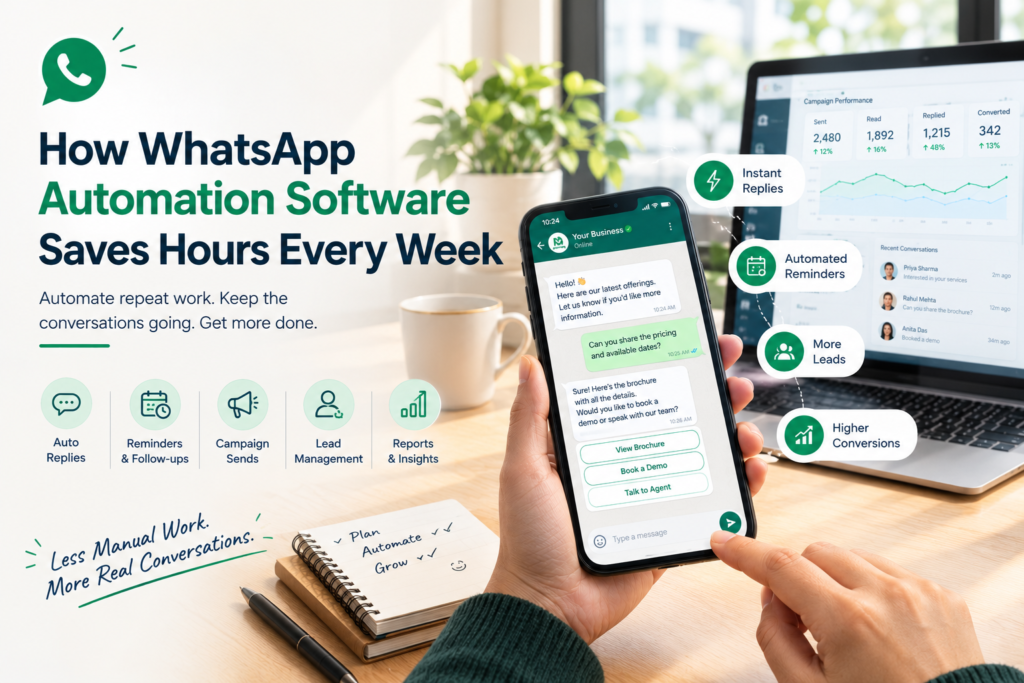
Every repeated reply, reminder and spreadsheet entry adds up to hours your team never gets back.
WhatsApp automation software can save a busy team many hours a week by handling repeat questions, follow-up reminders, campaign sends, data entry and reports. The exact figure depends on your volume, but in the illustrative example below, a three-person team recovers about 17 of 22 manual hours.
This guide shows where the hours go, what each kind of tool actually automates, what a follow-up schedule looks like and how to calculate your own savings. It also shows how WhatEdge helps Indian businesses stop doing it manually.
Key takeaways
- Automation saves the most time on repeat work: FAQs, reminders, follow-ups, data entry and reports.
- Sending to a list is only the first step. Replies and follow-ups hold the bigger savings.
- Savings depend on your volume, so calculate them from your own numbers.
- Automation frees time but does not replace the human conversations that close deals.
- WhatEdge automates all of these on the Official WhatsApp Business API.
How Much Time Can WhatsApp Automation Software Actually Save Your Team?
WhatsApp automation software saves the most time on repetitive work: answering the same questions, sending reminders, following up and copying data. The example below shows an illustrative week for a three-person team. Treat it as a template and replace each number with your own.
Here is the hypothetical week, task by task:
- Repeat customer questions: 150 a week at 2 minutes each is 300 minutes. With 70 percent automated, the team saves 210 minutes.
- Campaign preparation and sending: 5 a week at 30 minutes each is 150 minutes. With 60 percent automated, the team saves 90 minutes.
- Follow-up nudges to leads: 100 a week at 3 minutes each is 300 minutes. With 80 percent automated, the team saves 240 minutes.
- Payment and appointment reminders: 80 a week at 3 minutes each is 240 minutes. With 90 percent automated, the team saves 216 minutes.
- Copying details into sheets or a CRM: 120 a week at 2 minutes each is 240 minutes. With 75 percent automated, the team saves 180 minutes.
- The weekly report: one report at 120 minutes. With 75 percent automated, the team saves 90 minutes.
Added up, that is 1,350 manual minutes (22.5 hours) and 1,026 minutes saved (17.1 hours). In this example, the team recovers about 17 of its 22.5 manual hours a week, roughly 68 hours a month.
These assumptions are illustrative and are not WhatEdge benchmarks. Your result will depend on volume, how repetitive your questions are and how well your flows are built.
Where the Hours Go: Six Manual Tasks to Automate First
Start with the tasks that repeat most and need the least judgement. Six common tasks account for much of the time lost on WhatsApp: FAQs, campaign sends, follow-ups, reminders, data entry and reporting. Each item below pairs the manual habit with its automated version and the WhatEdge feature that does it.
Repeat questions. Instead of typing the same answer all day, let a chatbot answer and hand complex chats to a person. WhatEdge offers chatbots with keyword, button and menu flows and live-agent handover.
Campaign sends. Instead of rebuilding lists and messages each time, use saved segments, merge fields and scheduling. WhatEdge supports CSV upload, Excel paste or saved segments, sent now or scheduled.
Lead follow-ups. Instead of remembering who to nudge, set timed messages that stop when the lead replies. WhatEdge runs this through drip campaigns with custom intervals and exit conditions.
Payment and appointment reminders. Instead of messaging people one by one, trigger messages from a date or a status change. WhatEdge uses Google Sheets triggers for this, and delivers invoices from Tally and Busy.
Data entry. Instead of copying chat details into a sheet, capture them at the source with interactive forms and contact records, then sync with your CRM through API and webhooks.
Reporting. Instead of counting replies by hand, read live delivery, read and reply counts, along with template health.
WhatsApp Sender Software vs WhatsApp Automation Software: What Each Actually Automates
WhatsApp sender software automates only the mechanics of sending: it pushes a message to a list. WhatsApp automation software also automates what comes after, including replies, follow-ups, reminders, lead tracking and reports. The table shows exactly where the manual work stays and where it disappears.
|
Job |
Sender Only |
Full Automation Platform |
|
Sending to a list |
Automated | Automated |
|
Choosing the audience and writing the message |
Manual |
Saved segments and merge fields reduce the effort |
| Answering replies | Manual |
Chatbot with live-agent handover |
|
Follow-ups and reminders |
Manual | Drip sequences and date or status triggers |
| Lead tracking | Phone or spreadsheet |
Shared inbox with tags, notes and history |
|
Reporting |
Manual or basic | Delivered, read and replied for every campaign |
| Number safety | Depends on the tool |
Official API with opt-out handling and quality rating watch |
Want to see how much of your own week you could hand to WhatsApp automation software? Book a free WhatEdge demo and bring your current process.
The FAQ Table: What a WhatsApp Chatbot for Business Handles and What It Hands Over
A WhatsApp chatbot for business handles predictable questions with fixed answers and hands anything unusual to a person. Pricing, timings, availability, location and booking steps suit a bot. Complaints, negotiations and sensitive issues need a human. The lists below sort common questions into each group.
Questions a chatbot can handle:
- Price and plans, such as “What does the premium package cost?”
- Timings and location, such as “Are you open on Sunday?”
- Availability, using a catalogue or menu
- Booking steps, with a form
- Order status, if the bot is connected to your data
Questions that need a person:
- Custom quotes, such as “Can you do 200 units at a discount?”
- Complaints, where the agent needs the full chat history
- Payment disputes and refunds
On WhatEdge, flows run on keywords, buttons and menus, capture details onto the contact record and hand the chat to a live agent on request or by rule.
Field note: A chatbot is only as good as its flows. Write answers for your ten most frequent questions first, then expand.
Follow-Up on Autopilot: How WhatsApp Lead Management Keeps Every Lead Warm
WhatsApp lead management automates follow-up by giving every lead an owner and a timed schedule of messages that stops when the lead replies. Nobody has to remember who needs a nudge. The sample schedule below follows a new enquiry, from the first instant reply to a last-call message.
An illustrative schedule, which you should adjust to your own intervals:
- Minute 0: The chatbot sends an instant reply with a short menu and captures key details.
- Minute 5: The chat is tagged by interest and assigned to an agent in the shared inbox.
- Day 1: A drip sequence sends a gentle follow-up with a useful link or your catalogue.
- Day 3: A second nudge goes out with a clear offer.
- Day 7: A last-call message closes the sequence.
- Whenever the lead replies: The sequence stops and the agent takes over.
Calculate Your Own Savings from WhatsApp Automation Software
Your savings depend on your own volumes, so calculate them in four steps. List your weekly repeat tasks, time each one, estimate the share you could automate and multiply. Be conservative with the automated share at first, then adjust after a month of real data.
- List every repeat task your team does on WhatsApp each week. For example, 150 repeat questions.
- Time each one in minutes. For example, 2 minutes each.
- Estimate the share automation could handle. For example, 70 percent.
- Multiply tasks by minutes by share, then divide by 60. For example, 150 x 2 x 0.70 = 210 minutes, or 3.5 hours.
Hours saved per week = tasks per week x minutes per task x share automated / 60
Checklist: before you trust your number
- You counted only repeat tasks, not conversations that need judgement.
- You used minutes from a real week, not guesses.
- You included setup time in the first month.
- You planned what the team will do with the freed hours.
- Your contacts are opted in, so automation stays safe.
Pro tip: Pick the single task with the highest weekly minutes and automate it first. One clear win builds confidence for the rest.
Common mistake: Counting hours saved but never reinvesting them. Time freed from repeat replies should go to calls, demos and the relationships that close sales.
Want help building your first flows? Tell the WhatEdge team your top three repeat tasks and ask for a 20-minute walkthrough.
Why WhatEdge Is Built to Take Manual Work Off Your Team
WhatEdge is WhatsApp automation software built on the Official WhatsApp Business API. Its team handles registration, verification and template approvals, and you get chatbots, drip follow-ups, scheduled campaigns, triggers from your own data and a shared inbox in one dashboard, so repeat work runs without your team.
What that looks like in practice:
- Instant answers: chatbots with keyword, button and menu flows and live-agent handover
- Timed follow-ups: drip campaigns with custom intervals, A/B testing and exit conditions that stop on reply
- Scheduled and segmented campaigns: CSV upload, Excel paste or saved segments, sent now or scheduled
- Reminders and invoices: Google Sheets triggers on a date, status change or daily run, plus Tally and Busy invoice delivery
- Data capture and sync: interactive forms, contact records and two-way CRM sync through API and webhooks
- Selling and recovery: catalogue and ordering, plus re-targeting for abandoned carts
- Safety: Official API only, opt-out handling and quality rating watch
There is no setup fee, no plan caps how much you send (your reach follows your Meta messaging tier), and you buy messaging from one vendor on one invoice. Most businesses go live inside a week, with Meta’s verification taking most of that time. Automation will not fix a weak offer or a list of people who never opted in, but it gives your team its hours back. See it at WhatEdge
Conclusion
WhatsApp automation software gives your team hours back by taking over repeat questions, timed follow-ups, reminders, data entry and reports. Use the weekly example and the four-step worksheet to see your own number, start with the one task that eats the most minutes and keep humans on the conversations that close deals. Small automations compound, and the hours you reclaim each week add up quickly over a quarter. Ready to stop doing it manually? Visit WhatEdge and book a free demo today.
FAQs
Is WhatsApp sender software automated or does it need manual sending?
Basic WhatsApp sender software automates only the sending itself: you still pick the audience, write the message and trigger or schedule each campaign, and replies and follow-ups stay manual. Fuller WhatsApp automation software adds chatbots, drip sequences and triggers. WhatEdge schedules campaigns, saves segments and runs follow-ups automatically on the Official WhatsApp Business API.
Can a WhatsApp chatbot for business handle repetitive FAQs automatically?
Yes, a WhatsApp chatbot for business can answer repetitive FAQs such as pricing, timings, location, availability and booking steps automatically, then hand complex chats to a person. WhatEdge chatbots run keyword, button and menu flows, save captured details on the contact record and pass the chat to a live agent on request or by rule.
How does WhatsApp lead management automate follow-up reminders?
WhatsApp lead management automates follow-up reminders by tagging each lead, assigning an owner and scheduling timed messages that nudge the lead after set intervals and stop when they reply. WhatEdge offers drip campaigns with custom intervals, A/B testing and exit conditions, a shared inbox with assignment and notes, and date or status triggers from Google Sheets.