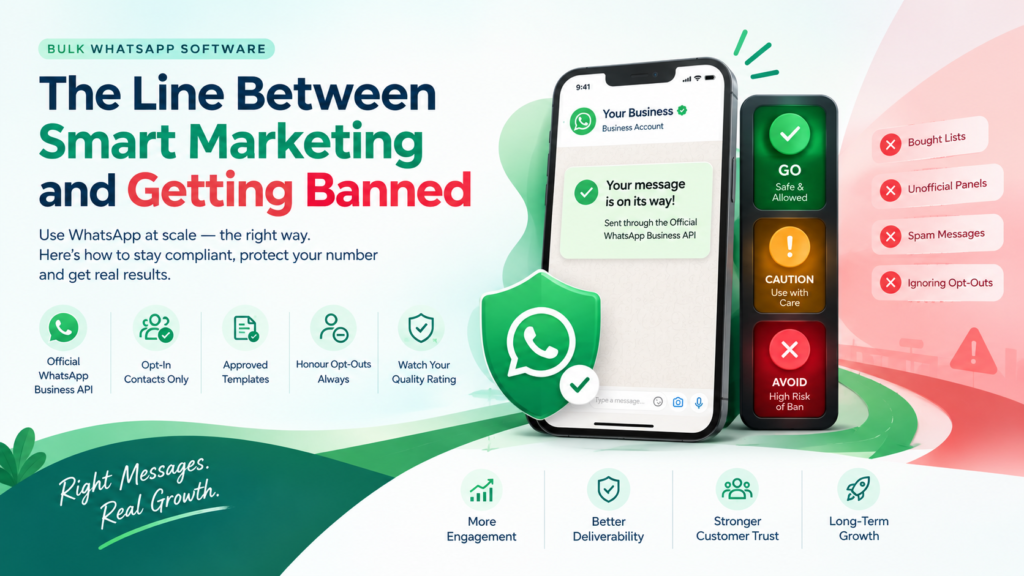
One careless campaign can cost you a number you spent years building, along with every customer conversation attached to it.
To use bulk WhatsApp software without violating WhatsApp’s policies, send only through the Official WhatsApp Business API, message contacts who opted in, use approved templates, honour opt-outs and watch your quality rating. Unofficial panels and bought lists are where bans begin.
This guide draws the line with a green, amber and red zone system, explains how restrictions escalate, gives you a seven-gate pre-send check and shows how WhatEdge keeps Indian businesses on the right side. Use it as a checklist before your next send.
Quick Rules
- Bulk messaging is allowed when it is permission-based and sent through the Official API.
- Unofficial panels and bought lists sit in the red zone.
- Your quality rating is an early-warning system, so watch it.
- Run a seven-gate check before every campaign.
- WhatEdge runs only on the Official API and warns you before a campaign puts your number at risk.
Is Bulk WhatsApp Software Allowed? The Short Answer
Yes, bulk WhatsApp software is allowed, but only when it runs on the Official WhatsApp Business API, messages people who opted in and uses approved templates. The danger is not scale itself; it is unwanted messages and unofficial tools that automate the regular app. Stay on the right side of that line and bulk messaging is a legitimate channel.
Think of a line down the middle of the road. On one side: permission, approved templates, relevant offers and honoured opt-outs. On the other: bought lists, unofficial panels, surprise promotions and ignored “stop” replies.
The Traffic-Light System for Bulk WhatsApp Software
Sort every practice in your bulk WhatsApp software workflow into three zones. Green means safe and expected, amber means risky without care, and red means avoid completely. Check each campaign against the zones before you press send, and move anything amber to green by adding consent, relevance or limits.
|
Zone |
Practice | Why It Matters |
| 🟢 Green | Messaging opted-in contacts with approved templates |
Matches WhatsApp’s permission and template rules |
|
🟢 Green |
Personalised, relevant offers and timely updates | Recipients expect and value them |
| 🟢 Green | Honouring opt-outs immediately |
Protects your quality rating and trust |
|
🟡 Amber |
Re-engaging contacts after a long silence | Consent may be stale, so confirm it first |
| 🟡 Amber | Several promotions in a short window |
Fatigue leads to blocks and reports |
|
🟡 Amber |
A big first campaign on a new number | Ramp up gradually and watch your rating |
| 🔴 Red | Bought or scraped contact lists |
No consent and high complaint risk |
|
🔴 Red |
Unofficial panels that automate the regular app | Against the rules and a route to permanent bans |
| 🔴 Red | Ignoring “stop” replies |
Drives blocks and reports |
|
🔴 Red |
Misleading or irrelevant content |
Damages your quality rating |
Policies change, so review Meta’s current WhatsApp Business Messaging Policy regularly.
Official API vs Unofficial Panels: Where the Real Ban Risk Lives
Many bans trace back to the tool, not the message. A WhatsApp API platform sends through Meta’s approved infrastructure with templates, opt-in rules and quality tracking built in. Unofficial panels automate the regular WhatsApp app, which breaks the rules and can end with a permanently banned number.
|
Factor |
Official API Platform | Unofficial Panel |
|
How it connects |
Meta’s approved API |
Automates the regular or a modified app |
| Number safety | Built for business messaging, with a quality rating |
Risk of permanent ban |
|
Templates |
Meta-approved templates |
Free-text blasts with no approval |
|
Team inbox |
Several agents on one business number |
Usually tied to one device |
|
Opt-outs |
Can be handled automatically |
Often manual or missing |
|
Reporting |
Delivery, read and reply tracking |
Basic or unreliable |
Choosing a WhatsApp API platform does not make you ban-proof, but it removes the biggest avoidable risk.
How a WhatsApp Restriction Escalates: 5 Warning Stages
Restrictions usually build up in stages. Recipients block or report messages, your quality rating falls, sending limits tighten, the number may be restricted and repeated violations can lead to account disablement. Exact thresholds are not public, so treat early signals as urgent.
|
Stage |
Signal |
What to Do |
|
1 |
Blocks and complaints rise | Pause the segment and review content and audience |
| 2 | Quality rating drops |
Slow down, tighten targeting, fix templates |
|
3 |
Sending limits tighten |
Message only engaged contacts |
|
4 |
Number restricted |
Stop campaigns and review the policy |
|
5 |
Account disabled |
Appeal through Meta’s channels and fix the cause |
The cheapest fix is always at stage one, so watch your numbers closely.
Want a safer way to send? Book a free demo to see how WhatEdge runs bulk WhatsApp software on the Official WhatsApp Business API, with quality rating tracking built in.
Your 7-Gate Pre-Send Safety Check
Run every campaign through seven gates before you send: consent, template approval, audience relevance, frequency, opt-out handling, a small test send and a quality rating check. If a campaign fails any gate, fix it first. Five minutes of checking protects months of list building.
✔ The Seven Gates
- Consent: Every contact opted in, and you can show how and when.
- Template: Approved, clear and honest about who you are and what you offer.
- Relevance: The offer fits the segment, not the whole database.
- Frequency: No contact is hit repeatedly in a short window.
- Opt-out: A clear way to stop messages, honoured automatically.
- Test send: Send to your own team first and check formatting and links.
- Quality check: Your rating is healthy before you scale up.
Mini Example: A Coaching Institute With 3,000 Contacts (Hypothetical)
|
Group |
Contacts | Zone |
Action |
|
Opted in through admission forms |
2,200 | 🟢 Green |
Send course-specific templates, segmented by course |
|
Old enquiry sheet, consent unclear |
800 | 🟡 Amber |
Hold back. Re-confirm consent through a form, call or email first |
The institute tests with staff, sends in stages and checks the quality rating between batches. It grows the list the right way instead of risking the number.
💡 Pro Tip: Segment first, send second. A smaller, relevant list protects your quality rating better than a bigger, vaguer one.
⚠️ Common Mistake: Treating an old enquiry sheet as permission. If you cannot show when and how a contact agreed, treat them as amber, not green.
Not sure your list or template is ready? Bring them to a free WhatEdge demo and ask the team what could put your quality rating at risk.
How to Choose Bulk WhatsApp Software That Protects Your Number
Choose bulk WhatsApp software on safety features first and price second. Look for Official API access, opt-out handling, template management, quality rating alerts and honest onboarding support. A cheap tool that gets your number banned is the most expensive option you can buy.
Any WhatsApp marketing tool you shortlist should answer six questions:
- Does it connect through the Official WhatsApp Business API?
- Does it use Meta-approved templates?
- Does it exclude opted-out contacts automatically?
- Does it show delivery, read and reply data for every campaign?
- Does it track my quality rating and warn me early?
- Who handles verification, templates and onboarding?
The best WhatsApp marketing software also gives you real human support when something looks wrong, not just a login.
Why WhatEdge Keeps You on the Right Side of the Line
WhatEdge is bulk WhatsApp software built only on the Official WhatsApp Business API. It handles registration and business verification, uses Meta’s approved template process, excludes opted-out contacts automatically and tracks your quality rating, warning you before a campaign puts your number at risk.
- Official API only: no unofficial panels and no modified apps
- Setup done with you: verification, template approvals and first flows configured by the WhatEdge team
- Opt-outs honoured: anyone who opts out is excluded from every future campaign
- Quality rating watch: tracked, with a warning before a campaign damages it
- Campaign visibility: live delivery, read and reply counts, plus template health
- Three ways to send: CSV upload, paste from Excel or saved segments
- Straight advice: the team tells you if a campaign risks your quality rating
- Data control: role-based access, and your data stays exportable
As a WhatsApp marketing tool, WhatEdge also goes beyond sending, with chatbots, drip campaigns, catalogue ordering and integrations with Tally, Busy and Google Sheets. There is no setup fee and no plan caps how much you send, since your reach follows your Meta messaging tier.
No platform can promise a number will never be restricted. List quality and message relevance still decide the outcome. Learn more at WhatEdge.
Conclusion
Bulk WhatsApp software is a legitimate way to grow when you stay on the right side of the line: Official API, opted-in contacts, approved templates, relevant messages and instant opt-outs. Avoid bought lists and unofficial panels, watch your quality rating and run the seven-gate check before every send. No tool removes risk entirely, but good habits shrink it. Smart marketing and a banned number are separated by a few good habits. Ready to send with confidence? Visit WhatEdge and book a free demo with WhatEdge today.
FAQs
Which WhatsApp marketing tool is officially approved by WhatsApp?
No single tool is the official choice; what matters is that a tool connects through the Official WhatsApp Business API, Meta’s approved route. A WhatsApp marketing tool is safest when it also uses approved templates and messages opted-in contacts. WhatEdge operates only on this official route, handles business verification for you and avoids unofficial panels and modified apps.
Why does using a WhatsApp API platform lower the risk of getting banned?
A WhatsApp API platform lowers ban risk because it sends through Meta’s approved infrastructure, with business verification, approved templates and quality rating tracking, instead of automating a regular app. It reduces risk but cannot remove it, since list quality still matters. WhatEdge adds opt-out exclusion and quality rating warnings on top of the Official API.
Does WhatsApp marketing software warn me about spam-like sending patterns?
Some WhatsApp marketing software warns you about risky sending, but features vary, so ask for a live demo. WhatEdge tracks your Meta quality rating and warns you before a campaign puts your number at risk, and it excludes opted-out contacts automatically. It also shows delivery, read and reply counts so you can spot weak campaigns early.