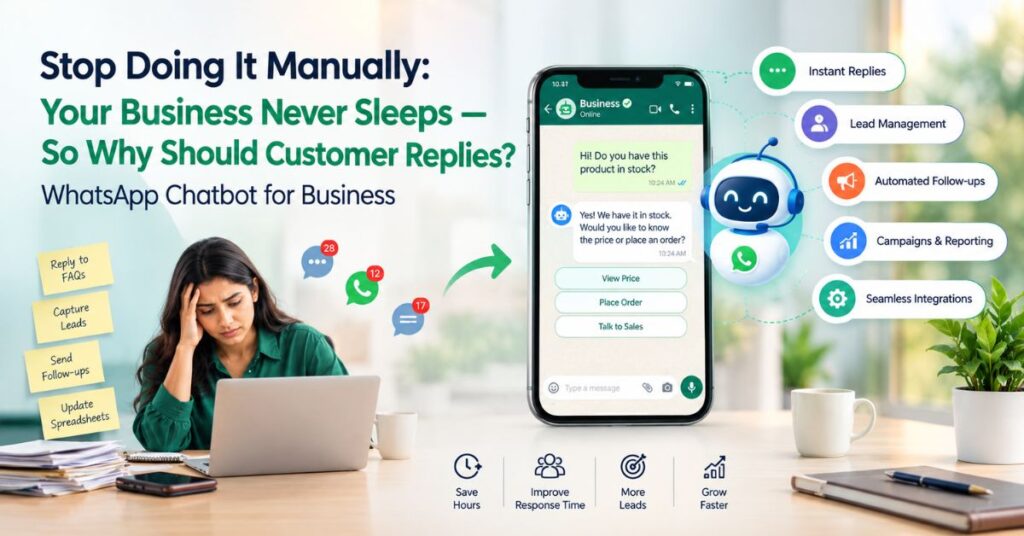
Ever had a customer say, “I messaged your team yesterday—did nobody see it?” That moment usually means WhatsApp has stopped being just a communication tool and has become part of your operations. A WhatsApp API platform helps a growing business manage conversations, automate repetitive work, connect WhatsApp with existing systems and give teams a shared workflow. The rule is simple: upgrade when WhatsApp becomes a business process. WhatEdge helps businesses make that transition with the Official WhatsApp Business API, automation, campaigns, chatbots, integrations and team workflows.
Quick Summary: When Should Your Business Upgrade?
- Upgrade when several people need to manage one WhatsApp number.
- Move beyond manual chats when leads, follow-ups or customer records are getting lost.
- Automate repeated questions, reminders and routine notifications.
- Choose official API infrastructure when campaigns, integrations and reporting matter.
- WhatEdge connects WhatsApp with Google Sheets, Tally, Busy, CRMs and API/webhooks.
What Is a WhatsApp API Platform, and How Is It Different From the WhatsApp Business App?
A WhatsApp API platform connects business workflows to WhatsApp through the WhatsApp Business Platform/API instead of treating WhatsApp as a standalone phone app. The app can work well for a small team having direct conversations. An API-based system becomes valuable when you need automation, shared access, structured lead data, integrations, reporting or recurring customer communication.
The problem is the growing queue.
Imagine a real estate company receiving 100 enquiries a week. One salesperson replies; then the team grows to five. Leads arrive from Meta Ads, the website and property portals. Details move into Excel, and customers reply to different employees.
Soon the question becomes: “Who owns this conversation?”
That is where an API workflow helps.
WhatEdge is built on the Official WhatsApp Business API and supports shared team conversations, chatbot flows, campaign management, Google Sheets automation, Tally and Busy integrations, interactive forms, drip campaigns and API/webhooks.
Instead of asking an employee to remember every action, the system can respond to a business event.
Invoice raised in Tally → WhatEdge → WhatsApp message → customer receives the invoice.
Or:
New enquiry → qualification → agent handover → follow-up.
What Are the Signs Your Business Has Outgrown a Simple WhatsApp Setup?
An API-based workflow becomes useful when manual WhatsApp work causes missed enquiries, delayed replies, inconsistent follow-ups or unclear ownership. There is no magic message volume; the practical test is whether your team still has control and visibility.
1. Multiple employees share conversations
If staff forward screenshots or ask “Did anyone reply?”, the inbox has become a team problem. WhatEdge provides a shared team inbox with assignment, internal notes, role-based access and conversation history.
2. Leads live in WhatsApp and Excel
Good lead management means knowing who contacted you, who owns the lead and what happens next. WhatEdge connects with Google Sheets, CRMs and custom systems through APIs and webhooks.
3. Your team repeats the same answers.
“What’s the price?”
“Where are you located?”
“Can I book a visit?”
A Whatsapp chatbot for business can handle predictable questions, qualify enquiries and hand the conversation to a human.
4. Follow-ups depend on memory.
A prospect says, “Call me next week.”
The salesperson agrees.
Next week arrives, and five newer leads have taken priority.
WhatEdge supports drip campaigns with scheduled intervals, personalisation and exit conditions that can stop a sequence after a reply.
5. You cannot measure campaigns.
A scalable system should show delivery, read and reply activity. WhatEdge provides campaign and message-level reporting for these metrics.
How Does a WhatsApp API Platform Improve Lead Management?
The main benefit is structured follow-up, not simply faster messaging. An API-based workflow can connect conversations with contact records, assignments, automation rules and CRM or spreadsheet data. This reduces dependence on memory and manual data entry, making it easier for growing teams to know who owns a lead, what happened and what should happen next.
From “Who is handling this?” to a defined process
A typical workflow can look like this:
- A prospect sends a WhatsApp enquiry.
- The system captures the contact.
- A chatbot asks qualifying questions.
- Answers are stored with the contact record.
- The lead is assigned to the right salesperson.
- A human takes over when needed.
- Follow-ups continue according to the workflow.
That is the difference between a chat history and a process.
Mini example: a property enquiry
A prospect asks about a 3 BHK apartment.
Instead of a salesperson manually asking everything, the business can collect:
- Preferred location
- Budget range
- Configuration
- Buying timeline
- Site-visit preference
A WhatsApp chatbot for business can handle those repetitive questions before the salesperson takes over.
WhatEdge also supports interactive WhatsApp forms for lead capture and chatbot flows for qualification and human handover.
The result is not “more automation for the sake of automation”. It is better context for the person who actually has to close the enquiry.
When Should You Upgrade From a Simple App to an API-Based System?
The right time is before manual WhatsApp work becomes a serious bottleneck. If your team is losing track of conversations, repeating the same tasks, maintaining several spreadsheets or struggling to measure campaigns, waiting for “more growth” can make the eventual change harder. An API-based system becomes useful when WhatsApp is already a core customer channel.
Upgrade-readiness checklist
- More than one employee handles WhatsApp enquiries.
- Leads arrive from several channels.
- Staff manually copy WhatsApp leads into Excel or a CRM.
- Customers regularly wait for replies.
- Follow-ups rely on reminders or memory.
- You need automated FAQs or lead qualification.
- You send recurring updates, reminders or campaigns.
- You need delivery, read or reply reporting.
- You want WhatsApp connected to Tally, Busy, Google Sheets or a CRM.
- You need one shared business number instead of employee numbers.
If you tick three or four boxes, evaluate an API-based workflow. If most boxes are checked, identify which process should be automated first.
With WhatEdge, a business can start with one use case—such as lead capture or payment reminders—and add campaigns, chatbot flows, integrations and re-targeting as needs grow.
What Should You Look For in a WhatsApp API Platform?
Ask first: “What infrastructure and workflow does this tool give my business?” Look for official API access, approved templates, automation, team collaboration, integrations and reporting. WhatsApp states that its Business Platform includes APIs such as Cloud API and that business-initiated conversations use approved templates.
Official infrastructure and useful automation
Look for chatbot flows, lead qualification, automated follow-ups, interactive forms, transactional notifications and human handover. WhatEdge combines these capabilities with campaigns and business-system integrations.
Integrations
If accounts uses Tally, sales uses a CRM and operations uses Google Sheets, WhatsApp should not create another silo.
WhatEdge supports Google Sheets, Tally, Busy and API/webhook connections.
For example, an invoice raised in Tally can trigger WhatsApp delivery without someone manually attaching the PDF and pressing send.
Reporting
| Capability | Simple app workflow | API-based workflow |
| Shared team access | Manual | Structured |
| Lead qualification | Manual | Automated + human handover |
| CRM/Sheet integration | Manual | API/integration-based |
| Follow-ups | Manual | Automated |
| Campaign reporting | Limited | Detailed |
Common mistakes to avoid
Automating everything: Let automation handle predictable tasks, but give customers an easy path to a human.
Choosing volume over quality: WhatsApp emphasises user expectations, consent and message quality. Businesses can face restrictions for policy violations or unauthorised large-scale messaging.
Pro Tip: Start with the problem that costs you the most—missed enquiries, overdue payments, repetitive questions or inactive customers. Automate that workflow first, then measure the result.
Is WhatsApp Bulk Messaging Software the Same as a WhatsApp API Platform?
No. WhatsApp bulk messaging software primarily focuses on campaigns, while an API platform can make WhatsApp part of a wider customer-communication system. That matters when a business needs campaigns plus lead capture, chatbots, transactional messages, team inboxes, follow-ups and integrations.
Think beyond “send to many”.
A campaign tool asks:
“How do I send this message to a large audience?”
A broader system asks:
“What should happen before, during and after the customer receives it?”
WhatEdge supports personalised broadcasts with delivery, read and reply tracking while connecting WhatsApp to business systems and automated workflows.
For example:
Segment contacts → approved template → customer reply → chatbot → form → salesperson → follow-up.
That is a customer journey, not just a broadcast.
Reliability still depends on good practice.
Official infrastructure provides a supported foundation, but no platform guarantees every message will succeed. Message quality, consent, account status and WhatsApp policies still matter. WhatsApp says it can restrict access for policy violations or unauthorised large-scale messaging.
Why WhatEdge Fits the Growing-Business Use Case
WhatEdge combines the Official WhatsApp Business API with campaigns, chatbots, shared team conversations, interactive forms, drip campaigns and integrations. It supports Google Sheets, Tally, Busy and API/webhook connections.
A business can start with automated lead responses, a shared inbox, chatbot qualification, payment reminders, invoice delivery, campaigns or CRM integration, then add more workflows as it grows.
WhatEdge’s onboarding covers account connection, contact import, template and flow setup, launch and scaling.
Explore WhatEdge and book a demo
Conclusion
The real check-in line problem is not that your business has too many WhatsApp conversations. It is that those conversations have become important enough to require a process. A whatsapp api platform can bring structure to lead capture, follow-ups, customer support, campaigns and business notifications. The key is to use official WhatsApp infrastructure, follow messaging policies and automate repetitive work without removing the human touch. WhatEdge brings these pieces together so growing businesses can move from scattered chats to connected customer workflows. If WhatsApp is central to your sales or service process, book a WhatEdge demo and identify your first automation.
FAQs
Can a whatsapp chatbot for business only work through an official API?
No. Business-grade WhatsApp automation should use the official WhatsApp Business Platform/API for supported API-based messaging. WhatEdge uses the Official WhatsApp Business API and supports chatbot flows that qualify enquiries, capture information and hand conversations to human agents.
How does a whatsapp api platform improve whatsapp lead management accuracy?
A whatsapp api platform improves whatsapp lead management by reducing manual copying and connecting conversations with structured contact data, assignments and integrations. WhatEdge connects with Google Sheets, CRMs and custom systems through APIs and webhooks, while chatbot and form workflows capture qualification details.
Is whatsapp bulk messaging software more reliable when built on the official API?
Using the official WhatsApp Business Platform/API provides a supported foundation for approved templates and policy-compliant messaging, but reliability still depends on message quality, consent, account status and platform rules. WhatEdge uses the Official WhatsApp Business API and tracks delivery, reads and replies.