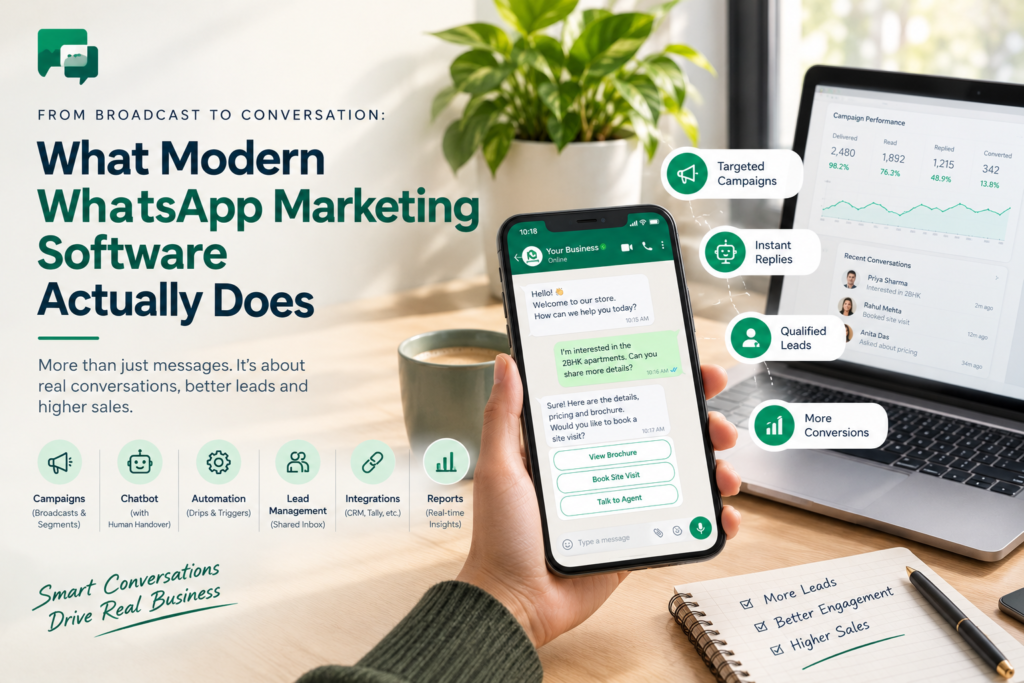
Sending a WhatsApp message is easy. Holding the conversation that follows is the hard part.
In 2026, good WhatsApp marketing software should offer Official API access, segmented broadcasts, a chatbot with human handover, automation, lead management, integrations and clear reporting. These features turn one-way blasts into two-way conversations that qualify leads, answer questions and close sales.
This guide breaks down ten features by priority, follows one lead from first message to closed deal and shows how WhatEdge delivers them on the Official WhatsApp Business API for Indian businesses. If you are comparing tools this year, use it as your shortlist filter before any demo.
Key Takeaways
- Modern WhatsApp tools run conversations, not just blasts.
- Five features are must-haves: Official API, segmented campaigns, chatbot, automation and lead tracking.
- Always test vendors with your own data, not their sample.
- Check setup support, pricing transparency and compliance before you sign.
- WhatEdge brings all of these together in one dashboard.
What Is WhatsApp Marketing Software in 2026? From Broadcast to Conversation
WhatsApp marketing software is a platform that lets businesses send campaigns, answer replies, automate follow-ups and manage leads on WhatsApp through the Official Business API. In 2026, the best tools go beyond broadcasting. They treat every reply as the start of a sales conversation, not the end of a campaign.
|
Broadcast Era |
Conversation Era |
|
|
Goal |
Reach as many people as possible |
Start conversations that convert |
|
After a reply |
Someone checks a phone |
A chatbot answers, and an agent takes over when needed |
|
Follow-up |
Remembered, or forgotten |
Automated sequences that stop on reply |
|
Contacts |
Lists in spreadsheets |
Records with tags, notes and history |
|
Selling |
Send people to a website | Catalogue and forms inside the chat |
| Measurement | Messages sent |
Delivered, read, replied and ordered |
The shift is simple: stop counting messages sent and start counting conversations held.
10 Features to Look for in WhatsApp Marketing Software in 2026
The best WhatsApp marketing software in 2026 combines ten features: Official API access, segmented campaigns, a chatbot, automation, lead management, integrations, in-chat selling, re-targeting, template and quality monitoring, and real onboarding support. Use the table below to separate must-haves from nice-to-haves before you book a single demo.
| # |
Feature |
Why It Matters |
Priority |
| 1 |
Official WhatsApp Business API access |
Protects your number and unlocks multi-agent use and integrations |
Must-have |
| 2 |
Segmented campaigns with live reporting |
Right message to the right group, with delivery, read and reply counts |
Must-have |
| 3 |
Chatbot with human handover |
Answers replies instantly and escalates when a person is needed |
Must-have |
| 4 |
Automation: drips, schedules, triggers |
Follow-ups happen without anyone remembering |
Must-have |
| 5 |
Lead management and shared inbox |
One place for contacts, tags, notes and history |
Must-have |
| 6 |
CRM and system integrations |
Keeps WhatsApp data and business data in step |
Should-have |
| 7 |
Catalogue, forms and in-chat ordering |
Customers buy without leaving the chat |
Should-have |
| 8 |
Re-targeting from website behaviour |
Recovers abandoned carts and win-backs |
Should-have |
| 9 |
Template health and quality rating alerts |
Warns you before a campaign risks your number |
Must-have |
| 10 |
Guided setup and transparent pricing |
Faster launch and no surprise costs |
Should-have |
Feature 3: A WhatsApp Chatbot for Business That Hands Over Smoothly
Replies arrive at all hours, and customers rarely wait. A WhatsApp chatbot for business answers the same common questions automatically, qualifies the enquiry and captures details onto the contact record.
Look for keyword, button and menu journeys, plus handover to a live agent on request or on a rule.
Feature 4: WhatsApp Automation Software for Schedules, Drips and Triggers
Good WhatsApp automation software works in three ways. It schedules campaigns ahead, runs drip sequences with custom intervals and exit conditions, and triggers messages from your own data, such as a new invoice, a due date or a lead arriving through an API.
Nobody has to press send.
Feature 5: WhatsApp Lead Management Inside a Shared Inbox
Strong WhatsApp lead management turns every conversation into a lead record. Look for assignments to agents or departments, internal notes, tags, full conversation history and role-based access.
Your whole team then answers from one business number instead of forwarding screenshots.
Want to see these features on your own data? Book a free demo to see how WhatEdge works as WhatsApp marketing software built for conversations, not just campaigns.
Follow One Lead: From First Message to Closed Deal (Hypothetical Scenario)
Features only matter in action, so follow one lead. This hypothetical real estate enquiry shows how campaigns, a chatbot, automation and lead tracking work together, from the first reply to a booked site visit. Notice how little manual typing the sales team does.
|
Time |
What Happens | Feature at Work |
| Day 0, 10:00 | A launch broadcast reaches an opted-in segment of past enquiries |
Campaign |
|
Day 0, 10:07 |
Meera replies “price?” The chatbot sends a price menu and asks her budget | Chatbot |
| Day 0, 10:09 | Budget and preferred location are saved on her contact record, tagged “hot” |
Lead record |
|
Day 0, 10:15 |
The chatbot offers a site-visit form, and she picks a Saturday slot | Interactive form |
| Day 0, 10:16 | The chat is assigned to a sales agent with notes attached |
Shared inbox |
|
Day 1, 09:00 |
A reminder with directions goes out on its own | Automation |
| Day 3 | After the visit, a drip message shares the payment plan and stops when she replies |
Drip sequence |
|
Day 5 |
Booking confirmed, and the details sync to the CRM through the API |
Integration |
No one typed a routine message. The sales team joined only when a human mattered.
💡 Pro Tip: Map your own lead journey on one page before you shop. Mark every step a person does today that a chatbot or automation could do, then shortlist tools that cover those steps.
Which Features Matter Most for Your Industry?
Priorities change by industry, though the platform stays the same. A real estate team needs instant lead replies and visit scheduling, while a school needs fee reminders and circulars. Match your top three use cases to the features below, then test those first in every demo.
|
Industry |
Messages That Matter | Features to Prioritise |
|
Real estate |
Instant portal-lead replies, qualification, site visits, launch campaigns |
Chatbot, lead records, forms,broadcasts |
| Education | Admission enquiries, counselling bookings, fee reminders, circulars |
Chatbot, forms, reminders, segments |
|
Retail and e-commerce |
Catalogue browsing, orders, invoices, abandoned carts |
Catalogue, invoice integrations, re-targeting |
|
Healthcare |
Appointment confirmations, preparation instructions, report alerts, recalls |
Scheduled reminders, templates, drip sequences |
|
Finance and services |
Payment and EMI reminders, renewals, document chasing |
Sheet-driven reminders, drips, shared inbox |
10 Questions to Ask Before You Choose WhatsApp Marketing Software
Choosing the wrong WhatsApp marketing software costs you time, reach and sometimes your number. Ask every vendor the ten questions below, and insist on live answers using your own data. A confident vendor shows you; a weak one sends a brochure.
✔ Vendor Checklist
- Do you run on the Official WhatsApp Business API, or an unofficial panel?
- Is there a setup fee, and do plans cap how much I can send?
- Can you show a chatbot flow with live-agent handover?
- Can campaigns be scheduled and segmented by tags, activity and location?
- How do follow-ups stop when a customer replies?
- How are leads assigned, tagged and tracked in the inbox?
- Which systems do you integrate with: CRM, accounting software, spreadsheets?
- Do you monitor template health and my quality rating?
- Who handles verification, templates and onboarding?
- How is messaging billed, and will I get one invoice?
Common Mistake: Buying a cheap panel because it can send in bulk. Unofficial panels automate the regular WhatsApp app and risk permanent bans, so always ask which API your vendor really uses.
Not sure which features you need first? Tell the WhatEdge team your use case and ask for a 20-minute walkthrough.
Why WhatEdge Is Built for the Conversation Era
WhatEdge is WhatsApp marketing software built on the Official WhatsApp Business API, covering campaigns, chatbots, drip sequences, shared inbox, catalogue ordering and integrations in one dashboard. It connects to Tally, Busy, Google Sheets and CRMs, so routine messages send themselves while your team handles the conversations that need a human.
- Official API, handled for you: registration, business verification and the green-tick application are prepared by the WhatEdge team
- Campaigns: CSV upload, paste from Excel or saved segments, with live delivery, read and reply counts
- Chatbots and smart flows: keyword, button and menu journeys with handover to a live agent
- Drip campaigns: custom intervals, A/B testing and exit conditions that stop on reply
- Shared inbox: assignment, internal notes, role-based access and full history on every contact
- Integrations: invoices from Tally and Busy, payment reminders from Google Sheets, and API and webhooks with two-way CRM sync
- Catalogue, forms and re-targeting for selling in the chat and recovering abandoned carts
- Template health and quality rating watch to protect your number
There is no setup fee and no plan caps how much you send, since your reach follows your Meta messaging tier. Onboarding is done with you, you buy messaging from one vendor on one invoice, and most businesses go live inside a week. Explore it at WhatEdge
Conclusion
The right WhatsApp marketing software does more than send messages. It answers replies with a chatbot, follows up through automation, tracks every lead in a shared inbox and syncs with the systems you already use, all on the Official API. Small gaps in this stack become big leaks in your sales. Use the ten-feature table and the checklist to compare vendors, and test each one with your own data. Ready to move from broadcast to conversation? Visit WhatEdge and book a free demo with WhatEdge.
FAQs
Can a WhatsApp chatbot for business handle customer queries after a campaign?
Yes, a WhatsApp chatbot for business can handle most customer queries after a campaign, including pricing questions, availability, timings and booking details, then pass complex chats to a person. WhatEdge’s chatbots run keyword, button and menu-driven flows, save captured details on the contact record and hand over to a live agent on request or by rule.
How does WhatsApp automation software schedule and segment campaigns?
WhatsApp automation software schedules campaigns by letting you send now or set a future time, and segments them by tags, activity and location. WhatEdge supports both, with saved segments you can reuse, drip sequences with custom intervals and Google Sheets triggers on a date, status change or daily run.
Does WhatsApp lead management sync with my CRM automatically?
WhatsApp lead management can sync with your CRM automatically when the platform supports integration through an API and webhooks. WhatEdge offers two-way CRM sync for contacts and conversations, plus webhooks on every inbound message and status change. Integration work is optional, priced openly, and supported by the WhatEdge team during setup.